|
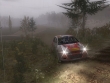
Screenshot
Popular Systems Menu |

2.) Copy and paste the following lines: // ---- Cut here -- // !SetGameMode(s) // SetGameLogic(key.GetSParam(0), false); !StartRace(s) // m_sRaceToStart = key.GetSParam(0); !TestCar(s) // m_sTestCar = key.GetSParam(0); !ReplayOnStart(s) // m_sReplayOnStart = key.GetSParam(0); !ReplayOnKey(s) // m_sReplayOnKey = key.GetSParam(0); !ReplayLoop(i) // m_bReplayLoop = (key.GetIParam(0) != 0); !MenuEditor(i) // m_bMenuEditor = (key.GetIParam(0) == 1); !TrackReversed(i) // m_bTrackReversed = (key.GetIParam(0) == 1); !CurveEditor(i) // m_bCurveEditor = (key.GetIParam(0) == 1); !ShowFPS(i) // m_bShowFPS = (key.GetIParam(0) == 1); !Debug(i) // m_bDebug = (key.GetIParam(0) == 1); !NoMusic(i) // m_bNoMusic = (key.GetIParam(0) == 1); !RenderGrass(i) // m_bRenderGrass = (key.GetIParam(0) == 1); !RenderTrees(i) // m_bRenderTrees = (key.GetIParam(0) == 1); // else if(!m_bRenderTrees) // DisableTrees(); !RenderWater(i) // m_bRenderWater = (key.GetIParam(0) == 1); !RenderSky(i) // m_bRenderSky = (key.GetIParam(0) == 1); !ODEClutchingEnabled(i) // m_bODEClutchingEnabled = (key.GetIParam(0) == 1); !ConsoleCommand(s) // m_vConsoleCommands.addElement(key.GetSParam(0)); !NetRace(s) // m_sNetRace = key.GetSParam(0); !SkipCarCheck() // m_bSkipCarCheck = true; !EnableAllRaces() // m_bEnableAllRaces = true; !DontLoadCarsInMenu() // MenuCar3D.ms_bLoadCar = false; !UseDeveloperKeys(i) // { // m_bUseDeveloperKeys = (key.GetIParam(0) != 0); // bCheats = m_bUseDeveloperKeys; // } !NoGhosts() // m_bNoGhosts = true; !ShowTrackDistance() // HumanRaceDriver.m_bShowDistanceFromStart = true; !MenuIdleTimeToRunDemoRace(f) // m_fMenuIdleTimeToRunDemoRace = // key.GetFParam(0); !ShowPlayingSounds() // m_bShowPlayingSounds = true; //-------------------------------------------------- //Settings: //-------------------------------------------------- SetGameMode("Testmode") // "Testmode", "Net" //StartRace() // TestCar("FPU1") // car directories? //ReplayOnStart() // ? //ReplayOnKey() // ? ReplayLoop(0) // MenuEditor(0) // 1 = activate Menu Editor, 0 = disable TrackReversed(0) // CurveEditor(0) // ShowFPS(1) // Debug(1) // NoMusic(0) // RenderGrass(1) // RenderTrees(1) // RenderWater(1) // RenderSky(1) // ODEClutchingEnabled(0) // //ConsoleCommand() // NetRace("Test") // "Test" SkipCarCheck() // delete or comment to disable EnableAllRaces(1) // delete or comment to disable DontLoadCarsInMenu() // delete or comment to disable UseDeveloperKeys(1) // no fun without it //NoGhosts() // delete or comment to disable ShowTrackDistance() // delete or comment to disable MenuIdleTimeToRunDemoRace(10) // ShowPlayingSounds() // delete or comment to disable // ---- Cut here -- 3.) Save the text file with "debugconf.scr" name. 4.) Copy your "debugconf.scr" file into your Xpand Rally /data/ directory and overwrite the original file, if asked. NOTE: Before using this type of cheat, always make a backup copy of your original "debugconf.scr" file. 5.) Run the game. In the menu press F12 to activate the God Mode which gives you max money, cars, tracks. (Money does not update immediately) Button - Result: F10 = Toggle HUD F9 = Pause game F8 = Stop Race F7 = Toggle Respawn O = Physics Reset I = Toggle engine damage Num Pad = Toggle car damage (wheels, driver, engine) Insert/Del/Pos1/End/PgUp/PgDn = Move drivers seat (camera) G = Destroy/Repair windows 1 = Toggle Wipers Pause/Break = Fly around (also try Shift, Alt, Ctrl) B/N = Display additional Information (when flying around)
Recently added games to Cheating Dome | All Systems
|