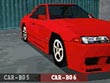
While in any garage, hold L1 and press R1 to turn on a cars blinkers. |
Submitted by KiwiDudeThis trick works in 1 Player, Time Trial, or the Course Editor modes. To enable these cars, go to the Car Select menu. Move your cursor to "Garage A" then hold L1 and press Circle. Now move down to "Garage B" then hold L1 and press Circle again. To finish, move down to "Garage C" then hold L1 + R1 and press Circle once again.
Note: These cars are temporary and cannot be saved. |
Submitted by KiwiDudeGo to the car select in 1P mode and go to garage A. Hold Circle while pressing X. Notice that car A03 (the Convertible) now has it's top down.
Go to garage B and do the same thing. Now, car B04 has streamlined headlights and 6 new colors to choose from.
Go to garage C and do the same as you did for A and B. Now, car C06 now has a sun roof. |
Submitted by KiwiDudeGo into the course editor. While holding the X button, press Triangle to make your cone white. Place the white cone on the course then repeat this until you've run out of cones. Now choose your car and start the race. The white cones will have turned into soccer balls, which you can run into with your car! |
Submitted by KiwiDudeMore Cheats, Achievements